A new hire's first months, as one guided journey.
A mobile onboarding map and an always-available AI buddy, designed and built for a California biotech company whose R&D department grew from about 400 to 1,000 people in a year.
01How it works
What to do now, and who to ask.
Each station opens to the tasks to complete, a named contact person and a direct link to the HR system. New hires mark tasks as they go, and the station's status updates on the map.
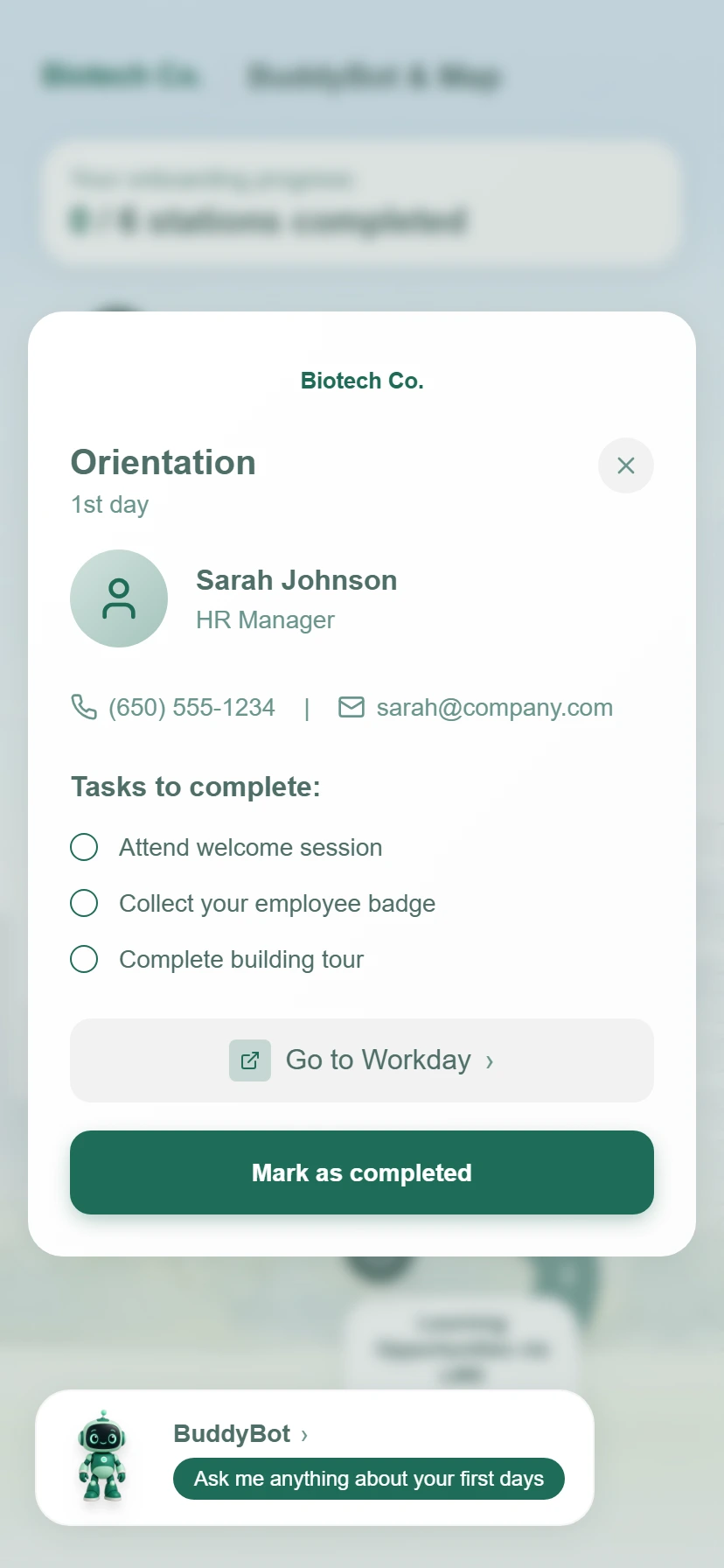
A buddy one tap away.
BuddyBot is available from every screen. It opens with shortcuts to the most common needs (HR, IT, finding a contact, drug-development terms and company acronyms) and answers questions about the onboarding itself.
02The problem
The R&D department more than doubled in a year. Onboarding still relied mostly on a human "buddy": warm, but hard to scale, and every new hire got a different experience.
The client, the department's business learning manager, needed onboarding that is clear, consistent and measurable, without losing the personal support.
03My role
A team project in HIT's "Training Solutions in Practice" course, with a real client. My part:
- Discovery: clarified the need with the client.
- Product definition: specified the product around the company's real onboarding stages.
- UX/UI: designed the map, the stations and BuddyBot.
- Design system: aligned the interface with the company's brand and design system.
- Prototype: built the working prototype in Lovable.
I used AI throughout the process, from specification to building the prototype and refining the interface.
04What I refined
- Stations you can open: every station on the map became clickable, instead of a static label.
- Tasks and contacts up front: each station shows its tasks and the person to contact.
- BuddyBot in reach: the access point to the bot became larger and more prominent, on every screen.
05Outcome
We presented a working mobile prototype in the company's brand: an onboarding map of six stations, station details with tasks and contacts, BuddyBot, and a simulated LMS integration for tracking progress.
The Library